Step 5c - Configure EdgeWorker Error Status
EdgeWorkers may fail to execute the first time they are run on an EdgeServer. This series of steps configures an automatic retry in the event of such a failure. We hope to be able to remove this step as a requirement in the future as Akamai continues to develop the EdgeWorker platform.
- Select "Add Rule".
- Select "Blank Rule Template".
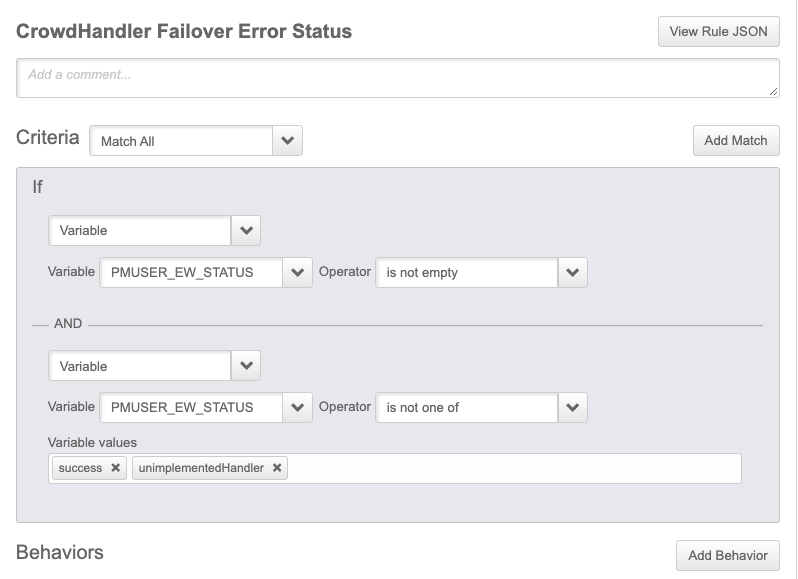
- Name - CrowdHandler Failover Error Status
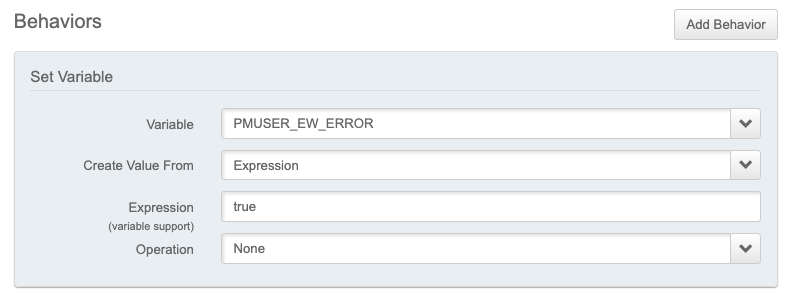
- Configure as shown below then save.
- Continue to Step 6 - Activation
Criteria
Add Behaviour - Set Variable