AWS CloudFront Integration - Deploy CrowdHandler Functions to CloudFront
Prerequisites
CrowdHandler resources installed via CloudFormation quicklaunch link (generated in CrowdHandler control panel).
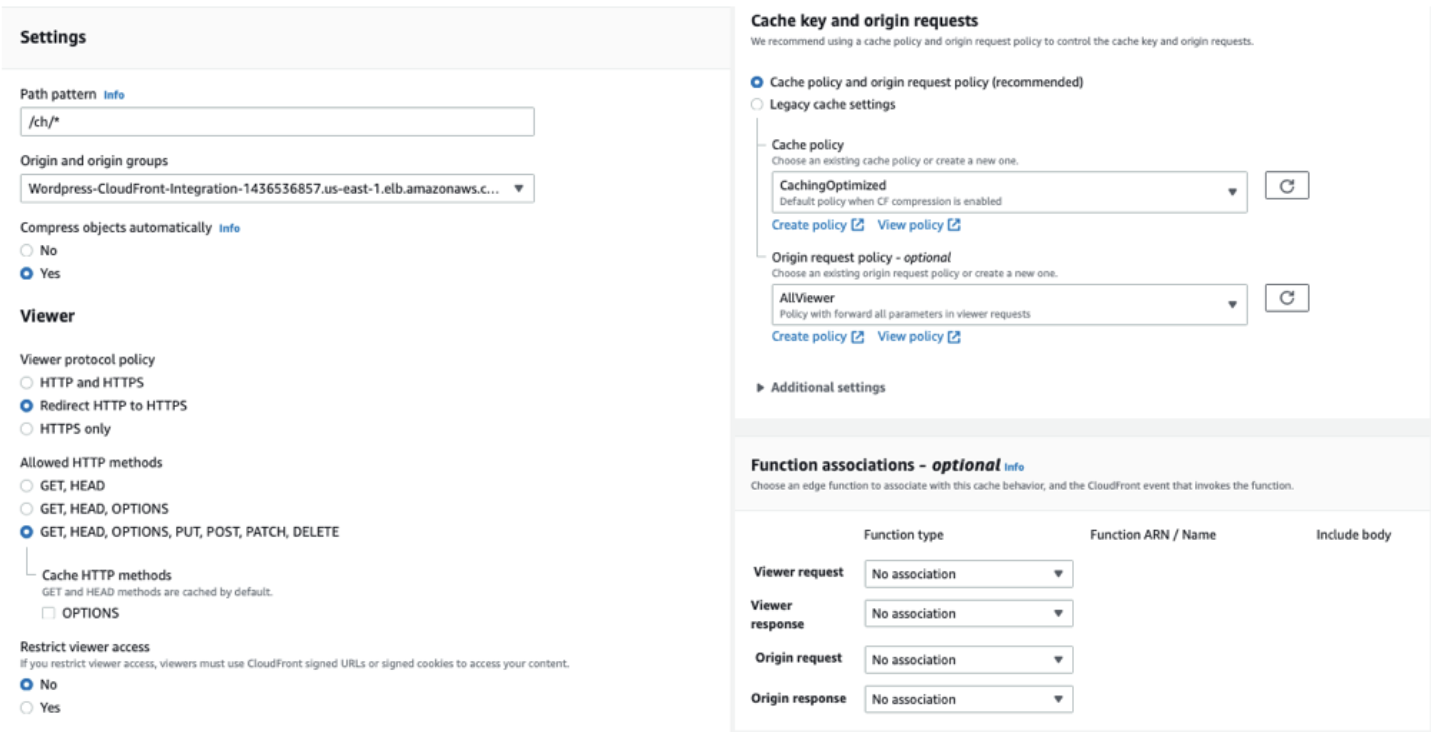
Step 1: Create /ch/* CloudFront Behavior Edit the CloudFront distribution that you would like to install CrowdHandler against. Create behavior as shown below, modifying your origin as appropriate.
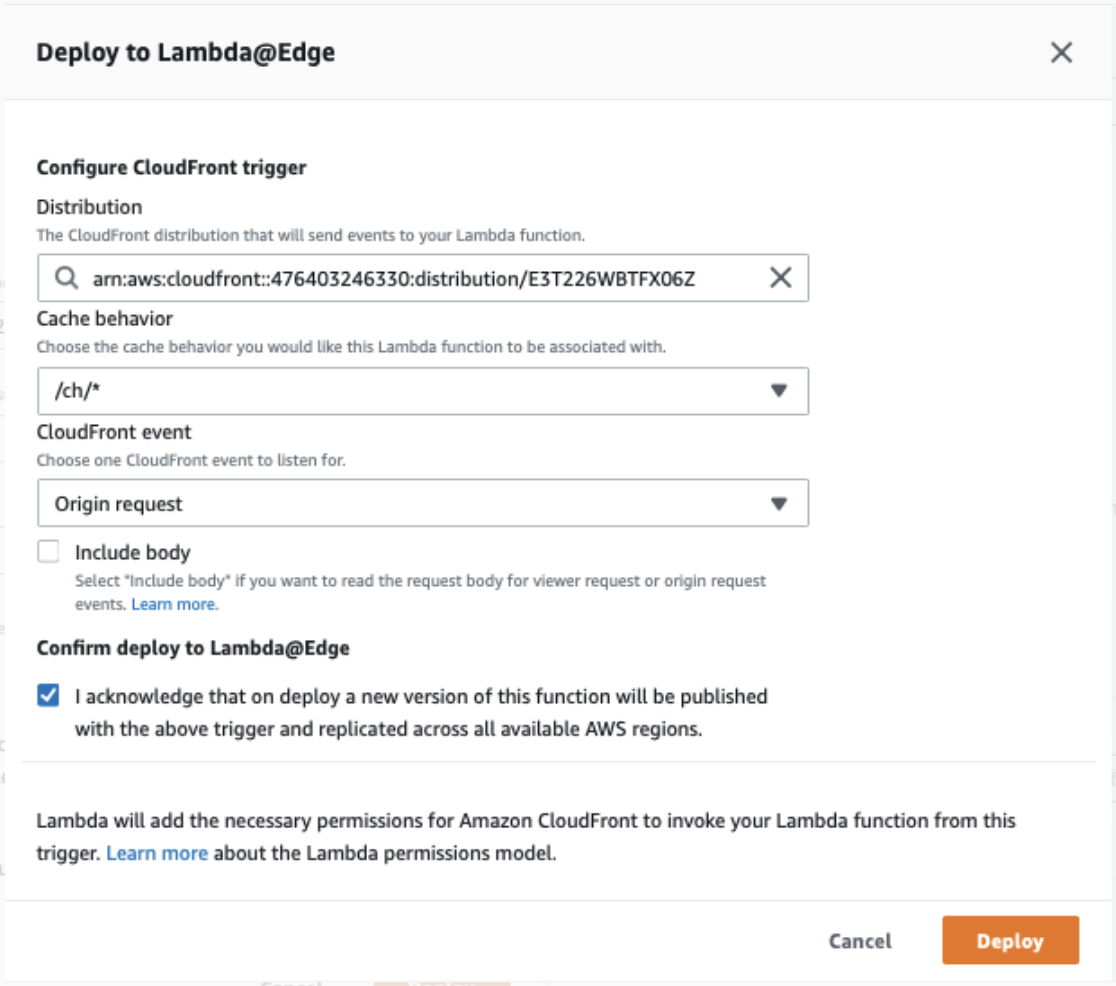
Step 2: Deploy crowdhandler-originOverride Lambda function to CloudFront Navigate to the crowdhandler-originOverride Lambda function. Select Deploy to Lambda@Edge from the Actions Dropdown. Deploy as shown in the image below.
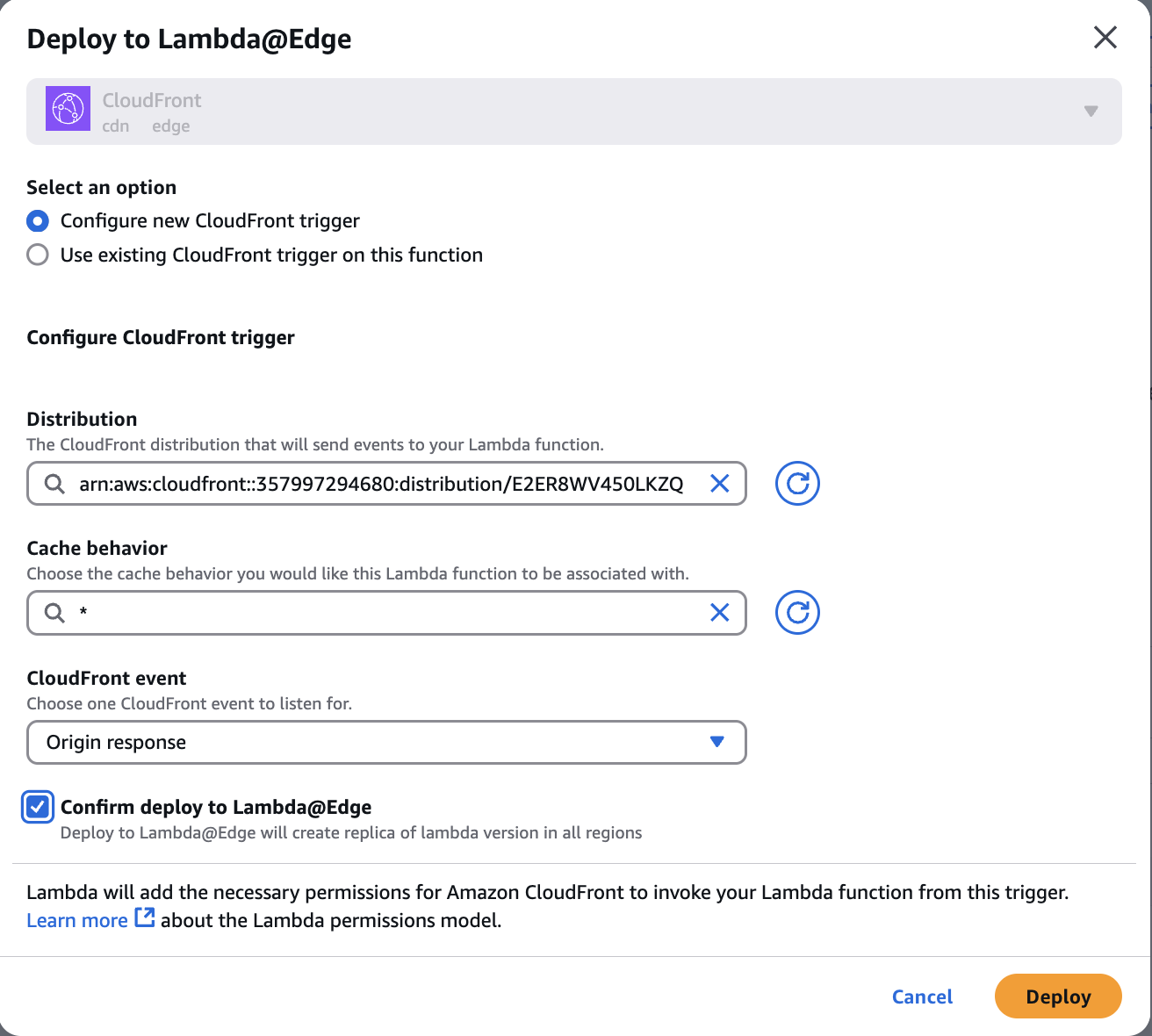
Step 3: Deploy crowdhandler-originResponse Lambda function to CloudFront Navigate to the crowdhandler-originResponse Lambda function. Select Deploy to Lambda@Edge from the Actions Dropdown. Deploy as shown in the image below.
Step 4: Deploy crowdhandler-viewerResponse Lambda function to CloudFront Navigate to the crowdhandler-viewerResponse Lambda function. Select Deploy to Lambda@Edge from the Actions Dropdown. Deploy as shown in the image below, selecting Viewer response as the CloudFront event
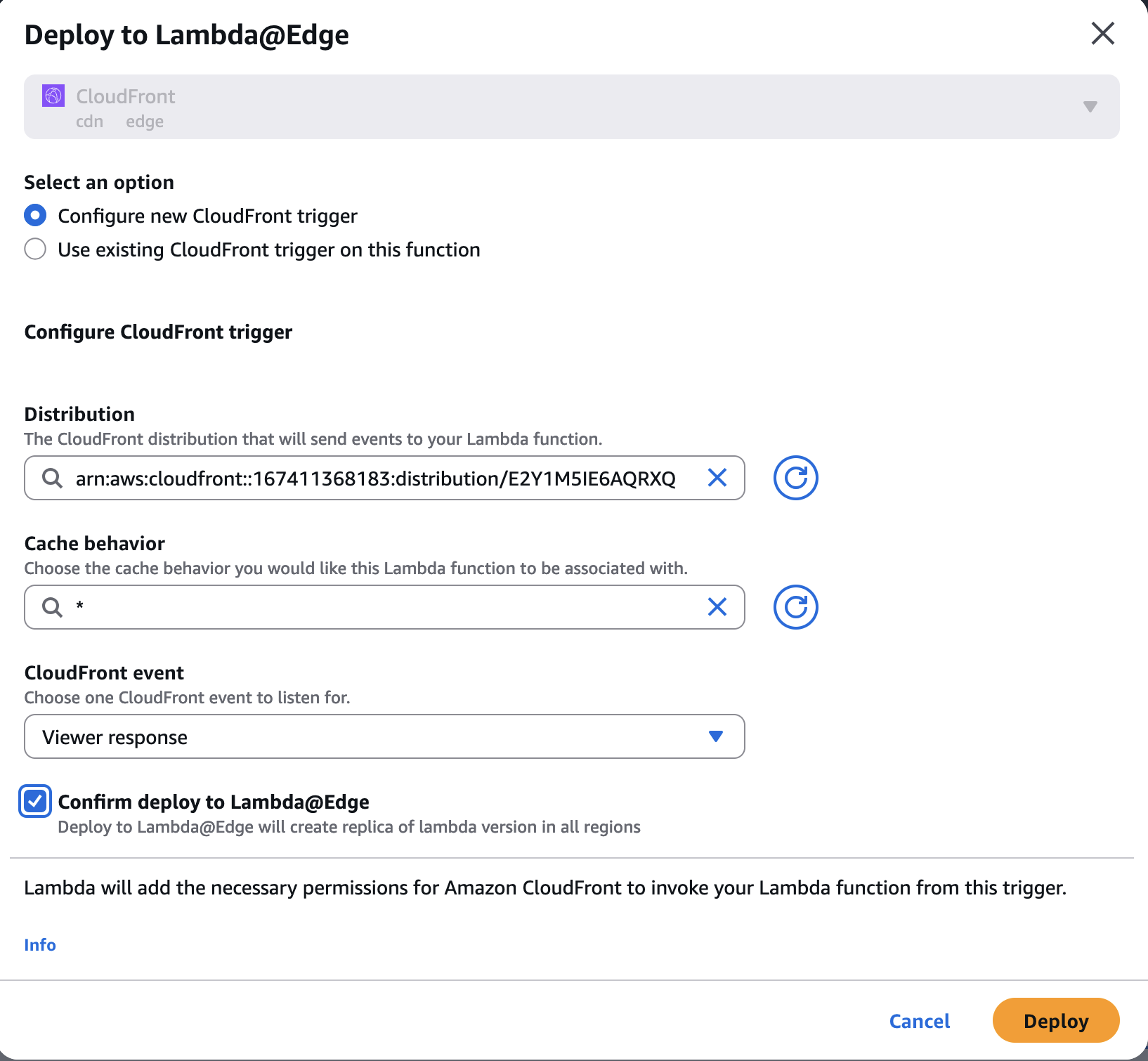
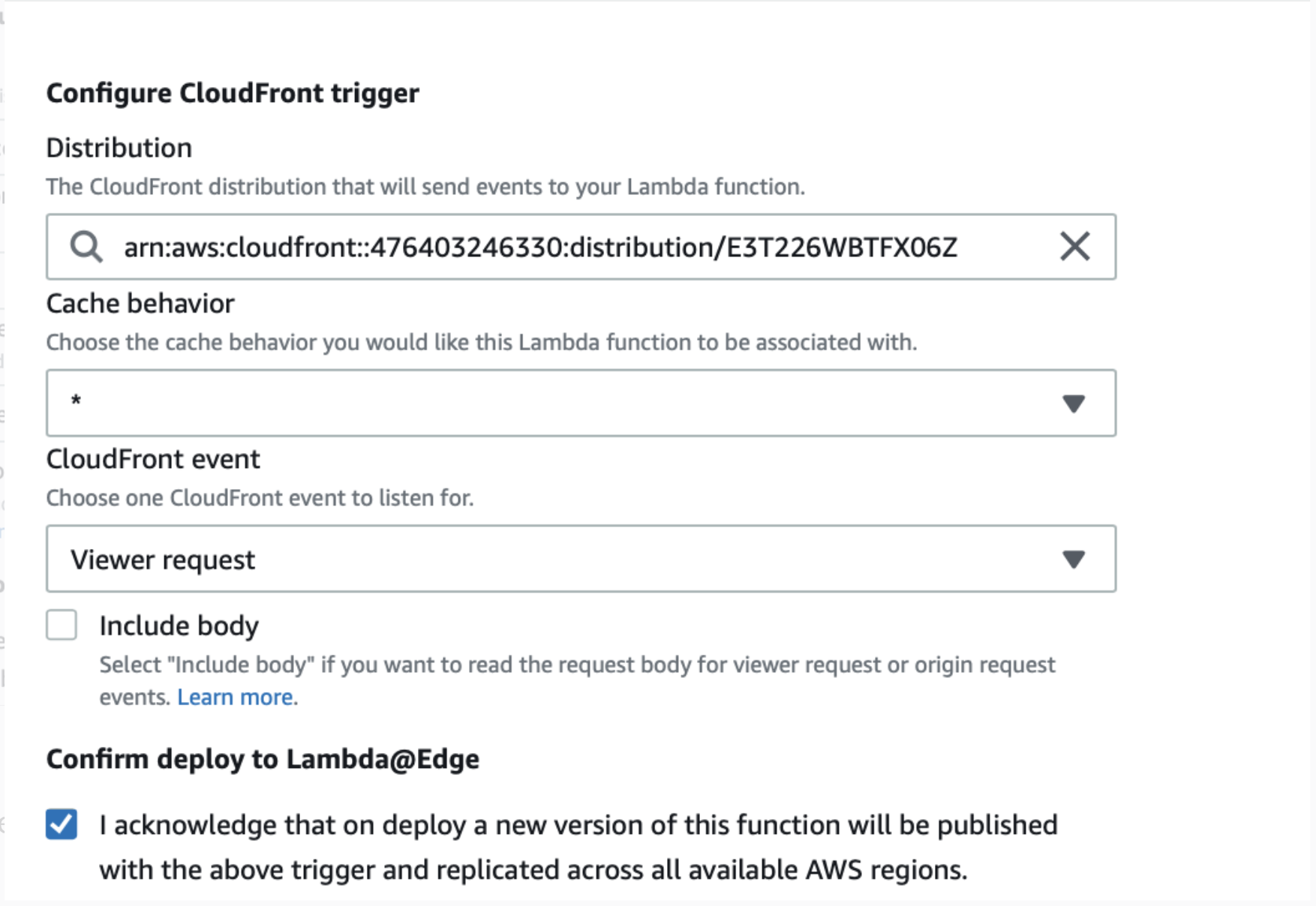
Step 5: Deploy crowdhandler-viewerRequest Lambda function to CloudFront Navigate to the crowdhandler-viewerRequest Lambda function. Select Deploy to Lambda@Edge from the Actions Dropdown. Deploy as shown in the image below.
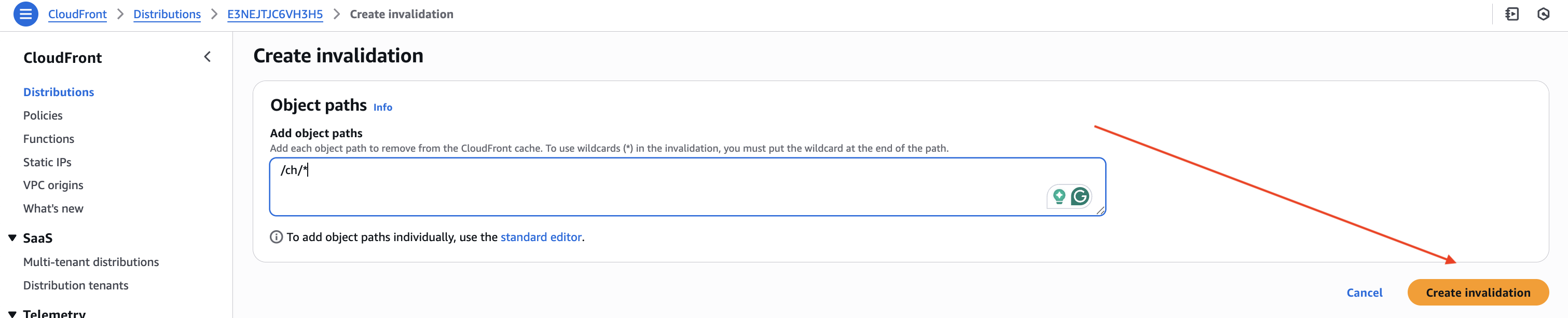
Step 6: Invalidate /ch/* route on CloudFront cache
Step 7: Test your Integration Works
Step 8: Advanced Configuration (optional) AWS CloudFront Integration - Advanced Configuration